
Edit a PDF on your Mac
Change the words the file already has, not just the margins around them. Fix a name, a date or a number and download the corrected file.
Choose a PDF
Or drop one here.From your files, downloads, or wherever it landed.
Your file stays on this device
- 1 free conversion
- No file uploads
- One payment, no subscription
Edit existing text
The gap Preview leaves
Preview is good at what it does. Highlights, signatures, shuffling pages. What it cannot do is change a word that is already printed in the PDF.
So the moment a date is wrong or a name is misspelled, Mac users get funnelled somewhere they did not want to go: a subscription for a five-second fix, or an upload site that should never see the document.
Click the line, retype it, download the corrected file. It happens on your Mac, and the first one is free.
How to edit a PDF on a Mac
Three steps, shown in Safari on a Mac. The file never leaves your computer.
Step 1
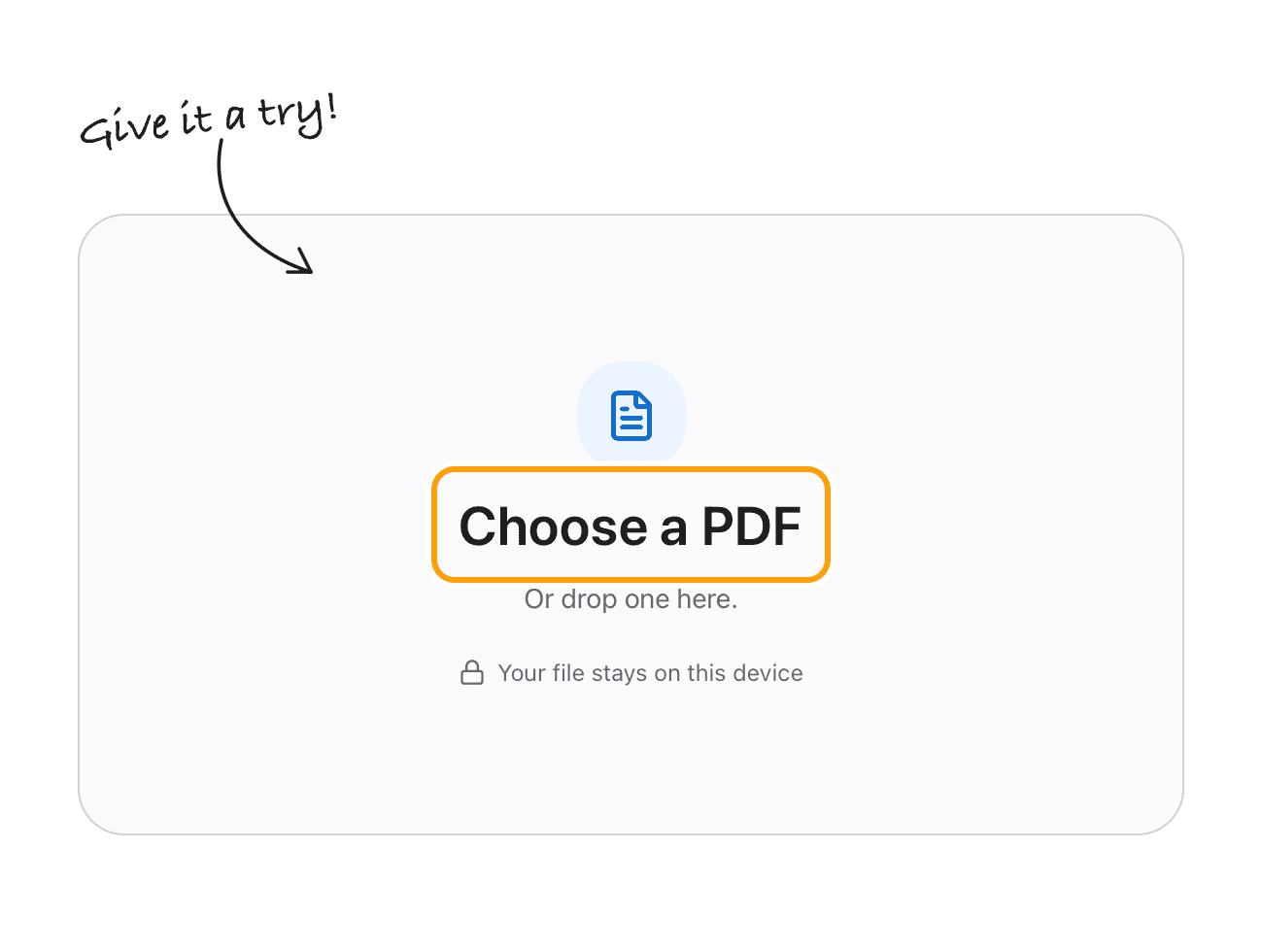
Open your PDF
Click Choose a PDF, or drop the file onto the box. It opens in the editor right here in Safari, Chrome or any browser on your Mac.
Nothing to install for that, and the file goes no further than this tab.
Step 2
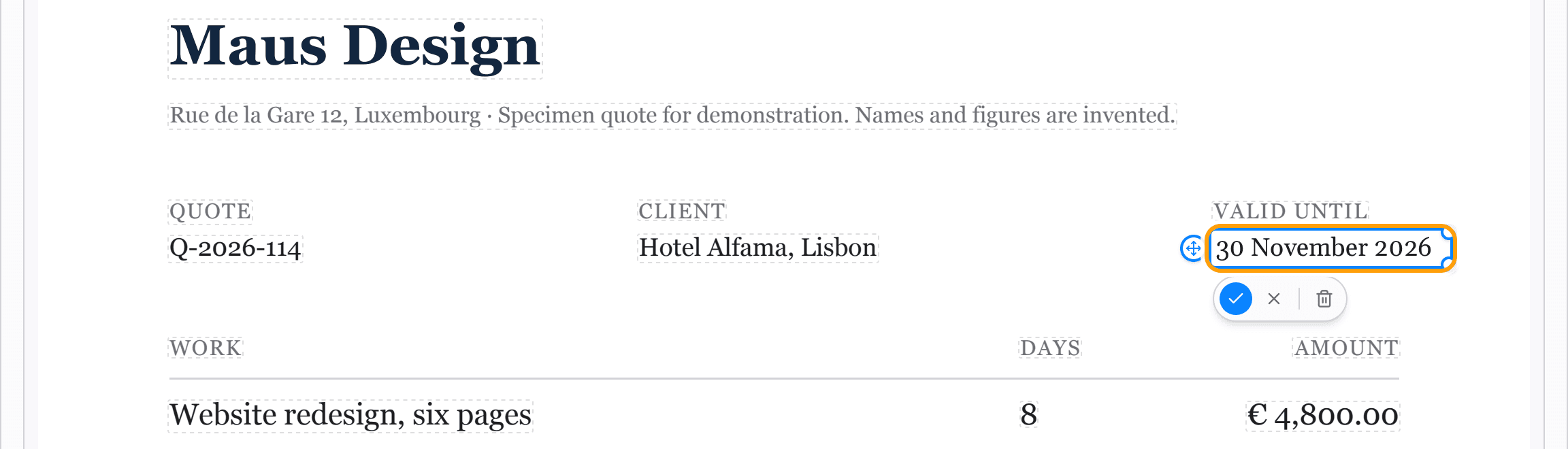
Click a line and retype it
Click the line and type the correction. The new words are set in a font that matches the original, at the same size, so the layout does not move.
Here, a design quote is extended by a month without going back to the file it was made in.
Step 3
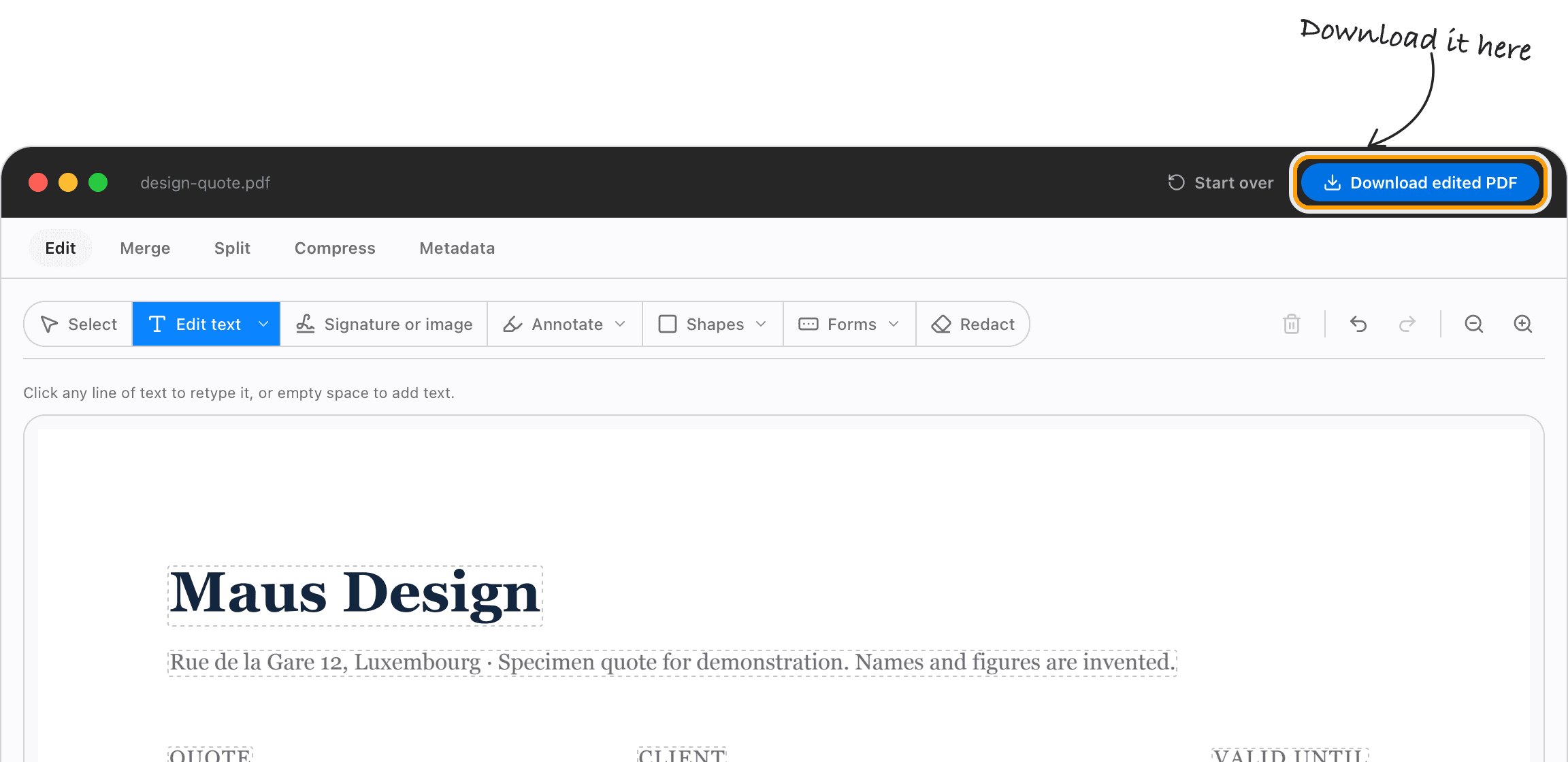
Download the PDF
Click Download edited PDF and it saves back to your Mac, with the text still selectable and searchable.
For offline work, bigger files and scans, the TeraConvert Mac app does the same in its own window.
Real editing
Edit the text, not the margins
Drawing a box over a wrong date leaves the wrong date in the file, one copy-paste away from being found. TeraConvert removes the old words. Redaction works the same way: deleted, not hidden.
Privacy
Files stay on your Mac
The browser editor works in the page, the Mac app works on your machine, and neither one sends your document anywhere. Load this page, turn off Wi-Fi, and it still works.
Preview, Acrobat, or this
The three ways Mac users end up editing a PDF, side by side.
Change text already in the PDF
Files stay on your Mac
Price
What people open this page holding
Anything that is real text in the file, plus the markup Preview already gave you.
An invoice with a wrong figure
It went out with the wrong amount or last month's date. Correct the figure and resend the same file, so your records and the client's still match.
A contract with a wrong name
A name is misspelled or a date moved after it was exported. Retype the line so the corrected document is the file, not a box drawn over it.
An agreement whose terms changed
Terms changed and the source file is gone or was never yours. Change the words, keep the layout, and redact anything that should not be in there.
A CV with a typo in it
A typo, a stale date, an old phone number. Fix it in the PDF rather than rebuilding the export and losing the formatting.
The desktop app
When the browser isn’t enough
- The same click-to-edit text editor, fully offline
- Scanned PDFs read automatically with built-in OCR
- Convert, compress, split, and merge PDFs with no size cap
- One payment. No subscription, no watermark
macOS on Apple Silicon. Nothing is uploaded, on this page or in the app.
Try your first edit free
No account, no card, no watermark on the file you download. Pro is one payment after that.
- 1 free conversion
- One-time purchase
- 14-day money-back guarantee
What early users say
“As a Product Manager I converted multiple PDFs into editable Word files for a requirements review. No learning curve, just a few clicks, and the formatting held up so the team could focus on content instead of fixing layouts.”

Richa Singh
Product Manager
“MP4 to MP3, MOV to MP4, DOCX to PDF, all in one session without opening a single sketchy converter site. That alone was worth the price.”

“Replaced a janky shell script I'd been carrying for years. ffmpeg, ImageMagick, qpdf, all wrapped in one UI that I can actually share with a teammate. Bought the desktop on the spot.”

Himanshu
Software Engineer
Good to know
Which PDFs work, and which need OCR
If you can select the words in your PDF, the editor can usually find them and let you change them. Exported invoices, contracts, forms, statements and reports all qualify.
Scans are the exception. A scanned page is a photograph of text, so there is nothing to select in the browser editor, and it tells you that instead of pretending. The Mac app reads scanned pages with built-in OCR when you convert them.
What it costs
Your first conversion is free, here or in the Mac app, with no account.
After that it is one payment for Pro, with a 14-day money-back guarantee. Nothing monthly, nothing yearly, no charge per file, and no watermark at any tier.
Adobe moved Acrobat to a subscription years ago. This is the other way of doing it: buy it once, keep it.
Is there a free PDF editor for Mac that edits the actual text?
Preview, the app built into macOS, annotates well but cannot change words that are already printed in the PDF. The editor on this page can. Click a line, retype it, and the file is rewritten with the old words removed. Your first edited download is free, no account.
How do I edit a PDF on a Mac?
Open it in the editor above, click the text you want to change, type your correction, and download the edited file. It works in Safari, Chrome and any other modern browser on macOS, and the document is never uploaded.
Can I edit a PDF on a MacBook?
Yes. MacBook Air, MacBook Pro, iMac, Mac mini, Apple Silicon or Intel, it all runs in the browser. The desktop app is Apple Silicon.
Why can't I edit the text in Preview?
Because Preview has no text editing. Its Markup tools add a layer on top: a highlight, a shape, a text box. The words printed in the document stay where they are, underneath. That is a design decision in Preview, not a setting you have missed.
The Markup toolbar is greyed out. What now?
That usually means the PDF has permissions set against annotation, or the file is locked in Finder. Either way it does not help you change existing text, because Markup cannot do that even when it is enabled. Drop the file into the editor at the top of this page instead.
Can I fix a typo in a PDF when I don't have the original file?
Yes, and that is usually why people are here. The editor works on the PDF itself, so you do not need the Pages or Word file it was exported from.
Is putting a white box over the wrong text good enough?
Only if nobody looks. The white rectangle trick in Preview hides the old words on screen and leaves them in the file, so they still come out with copy and paste or a text search. Retyping the line removes them, and redaction here deletes rather than covers.
Do I need a subscription?
No. TeraConvert is a one-time purchase with a 14-day money-back guarantee. The Mac app never charges you again after that.
Does it work offline?
Yes. The Mac app carries its own PDF engine, so it works with no connection at all. Even this browser page keeps working if you disconnect after it loads, because the editing happens on your machine either way.
What happens to the font when I retype a line?
The editor reads the original font, size, and colour, then writes your replacement in an open font with the same letter widths, so nothing shifts. Arial maps to Arimo, Times New Roman to Tinos, Calibri to Carlito, Cambria to Caladea, Georgia to Gelasio. You can override all three by hand.
Can I redact a PDF on a Mac?
Yes. Select what you want gone and save. The content is removed from the file rather than covered with a black box, so it cannot be recovered by copying the text.
How do I edit a scanned PDF on a Mac?
Scanned pages are images, so they need OCR before their words can be changed. The Mac app reads scanned documents with built-in OCR when you convert them, and the editor tells you honestly when a page is a scan rather than pretending to edit it.
Will there be a watermark on the edited PDF?
Never. No watermark at any tier and no charge per file.
Do I need Adobe Acrobat?
No. Everything on this page happens without it, and without a monthly bill.
Fix your PDF on your Mac
The editor at the top of this page is free for your first download. The Mac app does the same offline, with OCR for scans and no size cap.
One payment, yours for life. 14-day money-back guarantee.