
Add text to a PDF
Click anywhere on the page and type. New text matches the lines around it. Your file never leaves this device.
Choose a PDF
Or drop one here.From your files, downloads, or wherever it landed.
Your file stays on this device
- Never uploaded
- Matches the page
- First download free
How to add text to a PDF
Four steps, and it works on forms that have no fields to click.
Step 1
Choose your PDF
Click Choose a PDF, or drop the file anywhere on this page.
It opens in the editor right here, ready to type on. Nothing is sent to a server.
Step 2
Click where the text goes
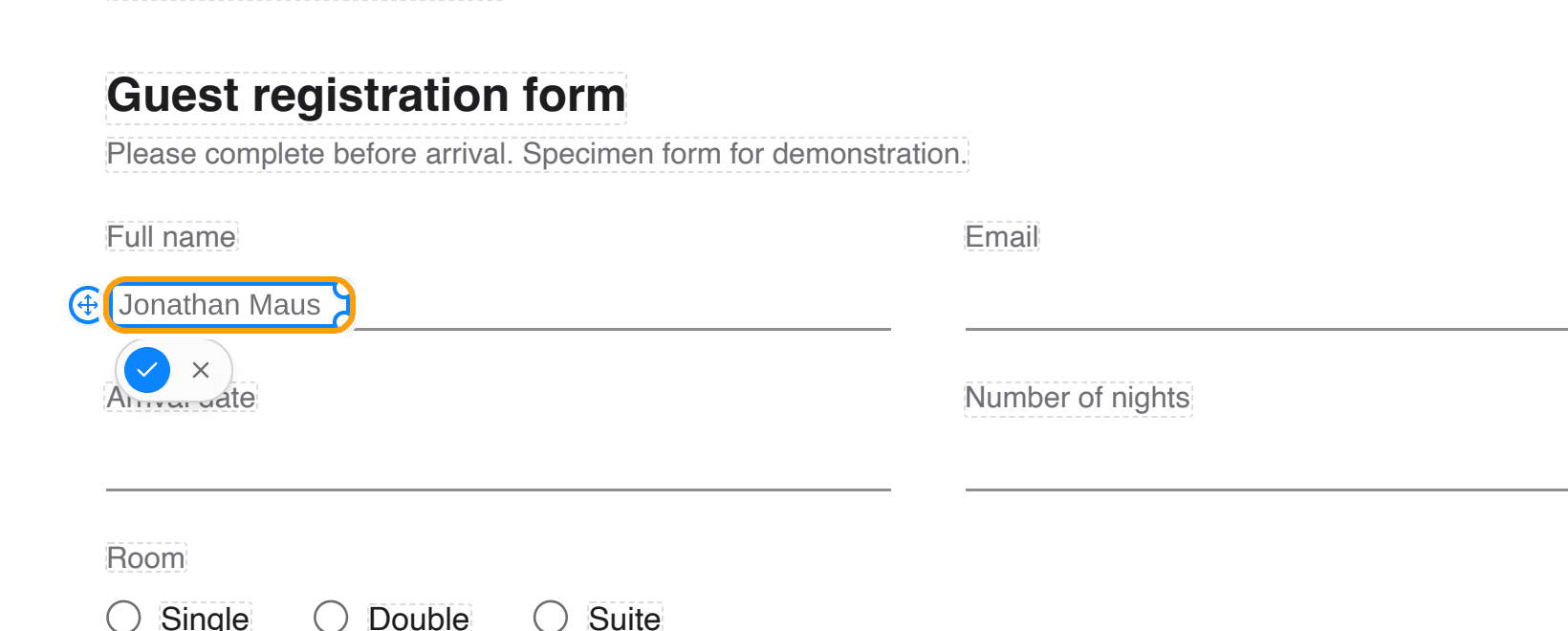
Click any empty spot on the page and a text box opens right there, already in the font, size and colour of the nearest line.
Here it is a hotel form that has no fields to click, so the name goes straight onto the line under Full name.
Step 3
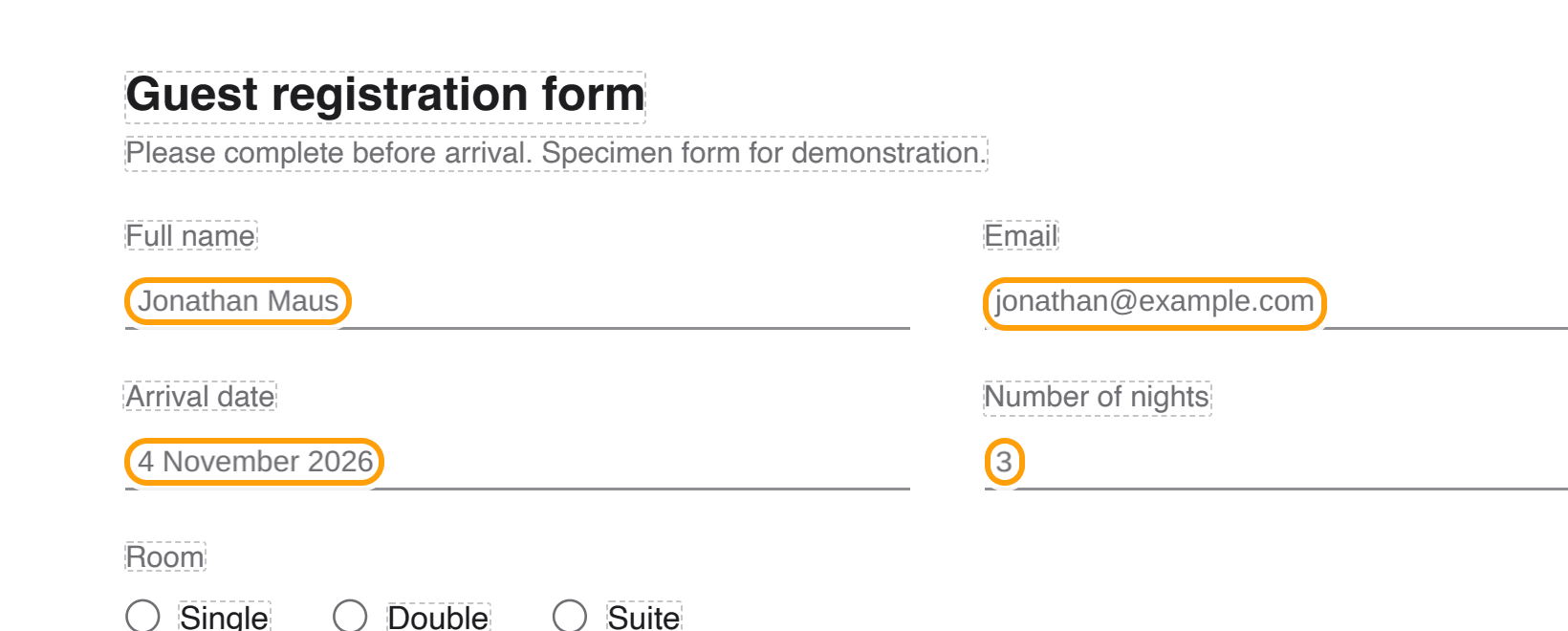
Type, then click the next spot
Press the tick or click somewhere else and the text is in. Carry on down the page the same way.
Drag a line to move it, or click it again to change what it says.
Step 4
Download the PDF
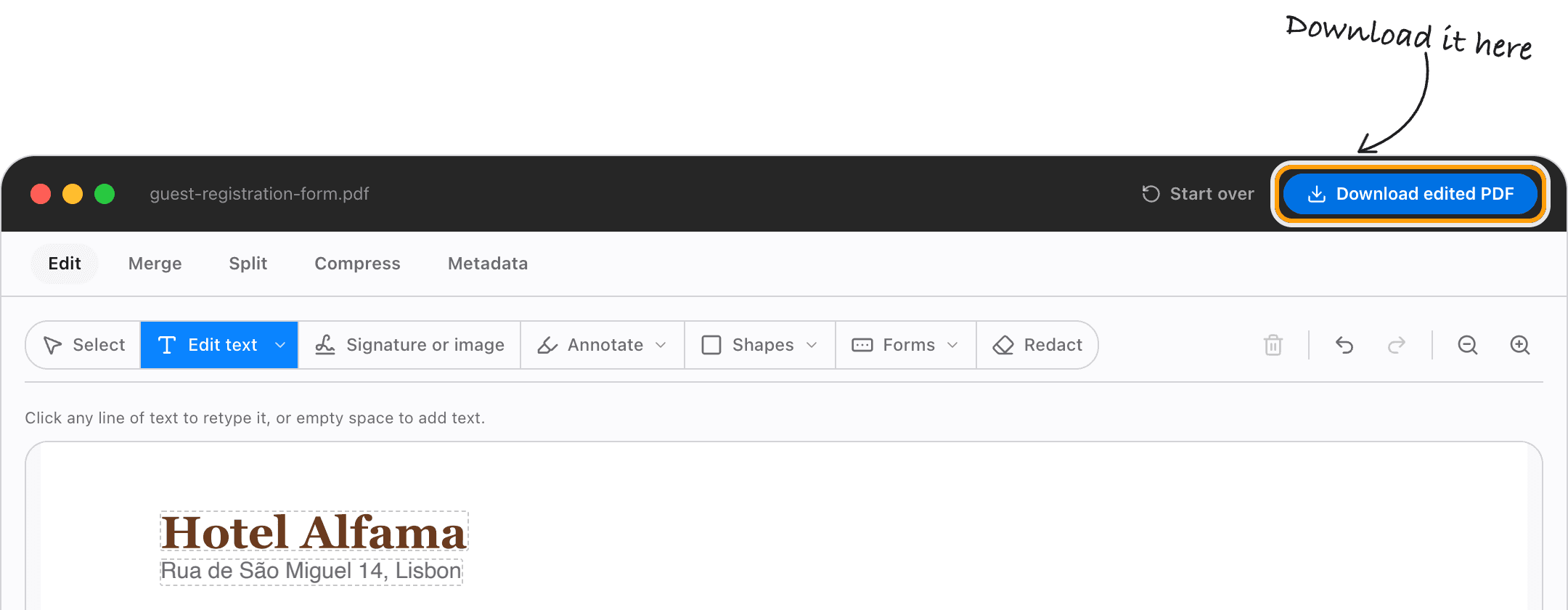
Click Download edited PDF. The text you added is real text in the file, so it can be selected, searched and copied.
Everything else on the page is left exactly as it was.
Ways to add text
Fill in a PDF form that has no fields
Plenty of forms are just a picture of lines and boxes. Click on each line and type, and it prints as if it was filled in by hand, only neater.
Text that matches the page
New text takes the font, size and colour of the nearest line, so a date added under a letter looks like it was always there.
Move or resize what you typed
Drag a line to move it. Drag its corner to make the text bigger or smaller.
Change the words that are already there
Click an existing line instead of empty space and you retype it. Edit PDF text covers that on its own page.
Tick the boxes too
The same editor puts ticks and crosses on a flat form and adds your signature, so the whole form is done in one place.
Add text on a phone
It works in Safari and Chrome on an iPhone or Android phone. Tap the spot, type, tap the tick.
Questions
How do I add text to a PDF without uploading it?
Choose your PDF above, click where the text should go, type, and download. It all happens in your browser, on your device. The file is never sent anywhere.
Is it free?
Your first download is free, with no account and no watermark. After that, downloading needs Pro, which is a one-time purchase.
Can I add text to a scanned PDF?
Yes. Click on the page and type, the same as any other PDF. The new text sits on top of the scan.
Is the text I add real text?
Yes. It is written into the PDF as text, not a picture of text, so it can be selected, searched and copied.
My PDF has form fields. Should I use this?
If the boxes on your form can be clicked and typed in, use Fill PDF form instead, so what you type goes into the form's own fields.
Can I remove text I added?
Yes. Click it and empty it, or use its remove button. Nothing is final until you download.
Ready to type on your PDF?
Choose a PDFThe same PDF editor, on your Mac
Edit, sign, merge and compress PDFs offline, in their own window, and convert images, video, audio and documents too. Everything stays on your Mac.